Two Dots

Visit Site
Overview
I am responsible for everything user-facing, including design and full-stack implementation.
Role
Product Engineer & Designer
Responsibility
Product Design & Prototyping
Full-stack Development
Design System
What is my job?
The system determined what was possible. The interface made those possibilities understandable.

As a designer and engineer, I work on both sides of that relationship. I design the flows, interactions, and components people experience; I also work deeply in the system behavior, state, and implementation that make them possible. Often, the design begins before there is an interface—by deciding how the system should be.

That depth changes how I design. Rather than treating system constraints as requirements handed to the interface, I can understand them, challenge them, and help shape them.
Case Study: Eve
Overview
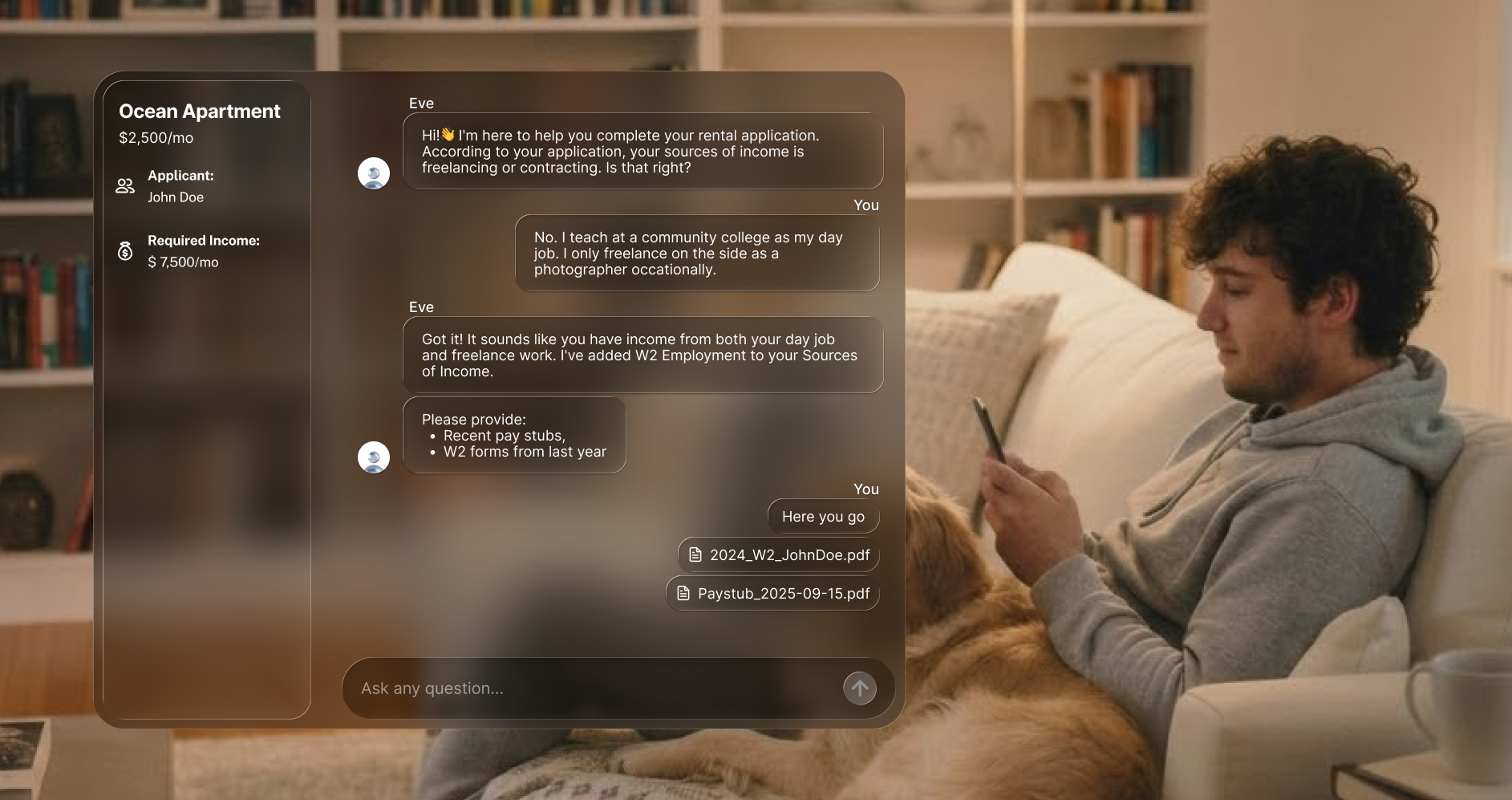
Eve is Two Dots’ agentic rental-application experience. I designed it to bring required verification, adaptive guidance, and changing applicant circumstances into one continuous surface.

My work connected three layers of the product: the system’s decision-making, the interactions applicants experienced, and the components that made each change understandable.
The Dilemma: The same product had to behave like a workflow and an agent
Rental verification demands two opposing interaction model. Required steps need order and validation, while applicants’ unique circumstances need interpretation and flexibility.

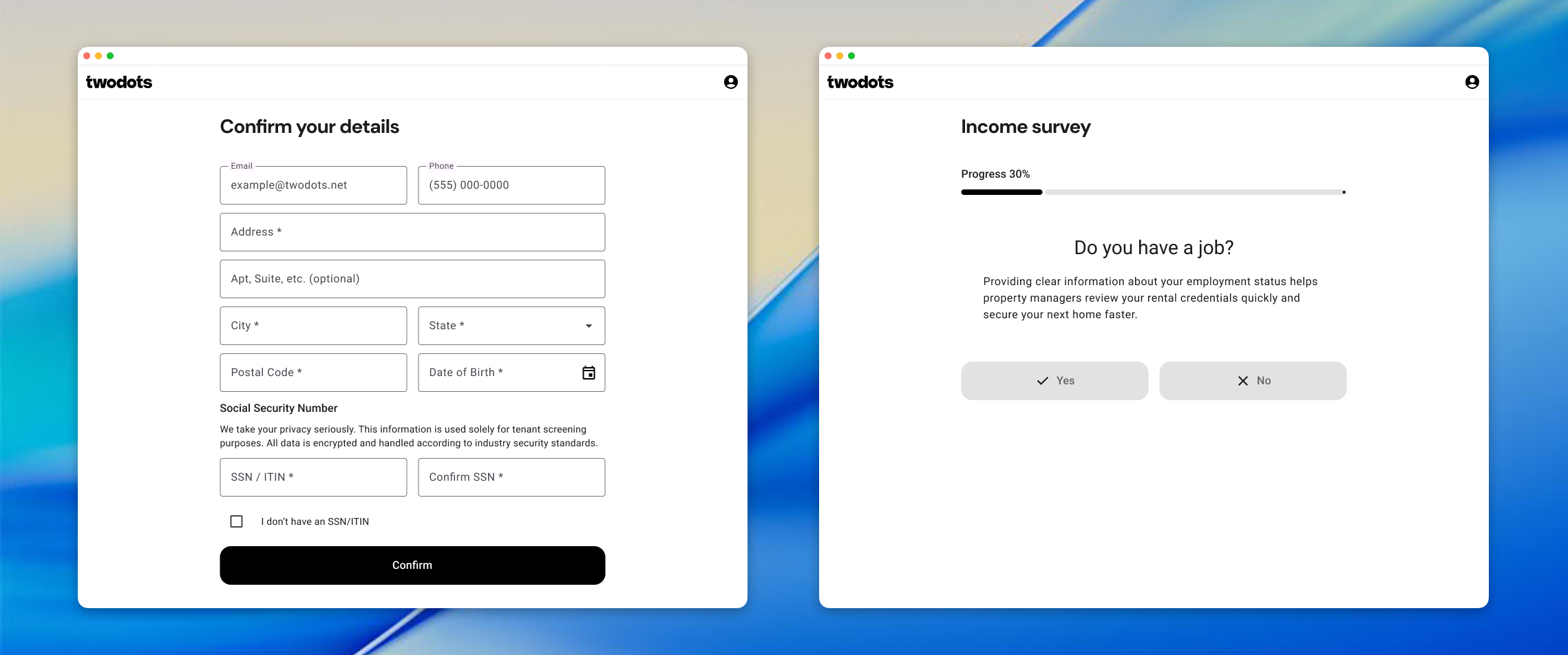
Our first copilot approach kept those modes separate: chat could explain the process, but applicants still had to return to the workflow to act. The challenge was to make the workflow itself agentic without making a high-stakes process feel unpredictable.
Original Income Varification Workflow Wizard
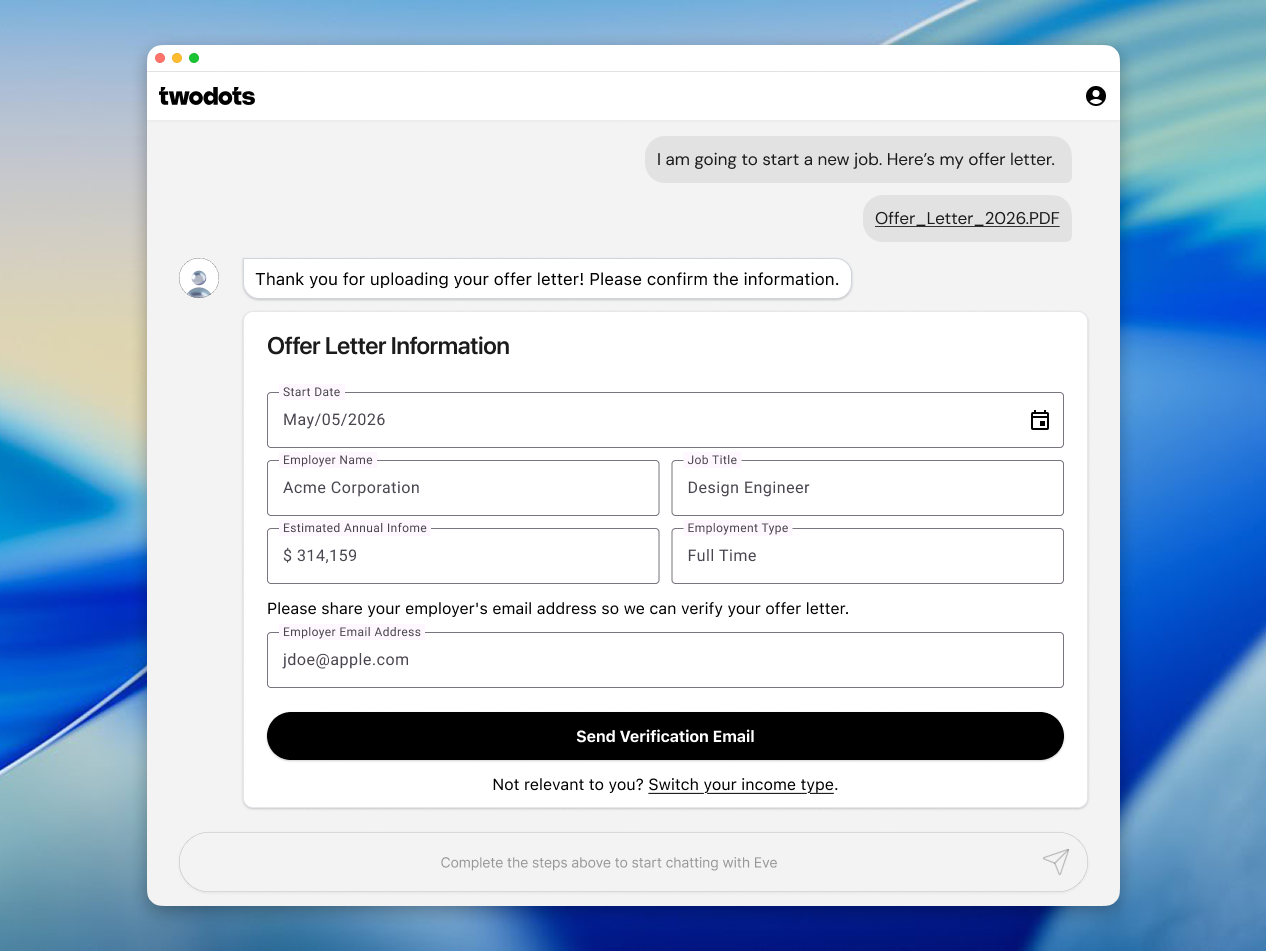
The timeline became the stable surface
I designed the timeline as the workflow itself. It could change what it asked of the applicant without changing where the work happened.

Every event stayed in order: what the applicant shared, what Eve understood, what the system required, and what had already been completed. The chronology gave applicants a stable answer to three questions:
- What happened?
- What do I need to do now?
- What can I do next?

The visible surface remained consistent while the system underneath it moved between bounded workflow logic and open-ended agentic assistance.
The orchestration allows Eve to move between bounded and agent-driven states

One coherent workflow across changing modes
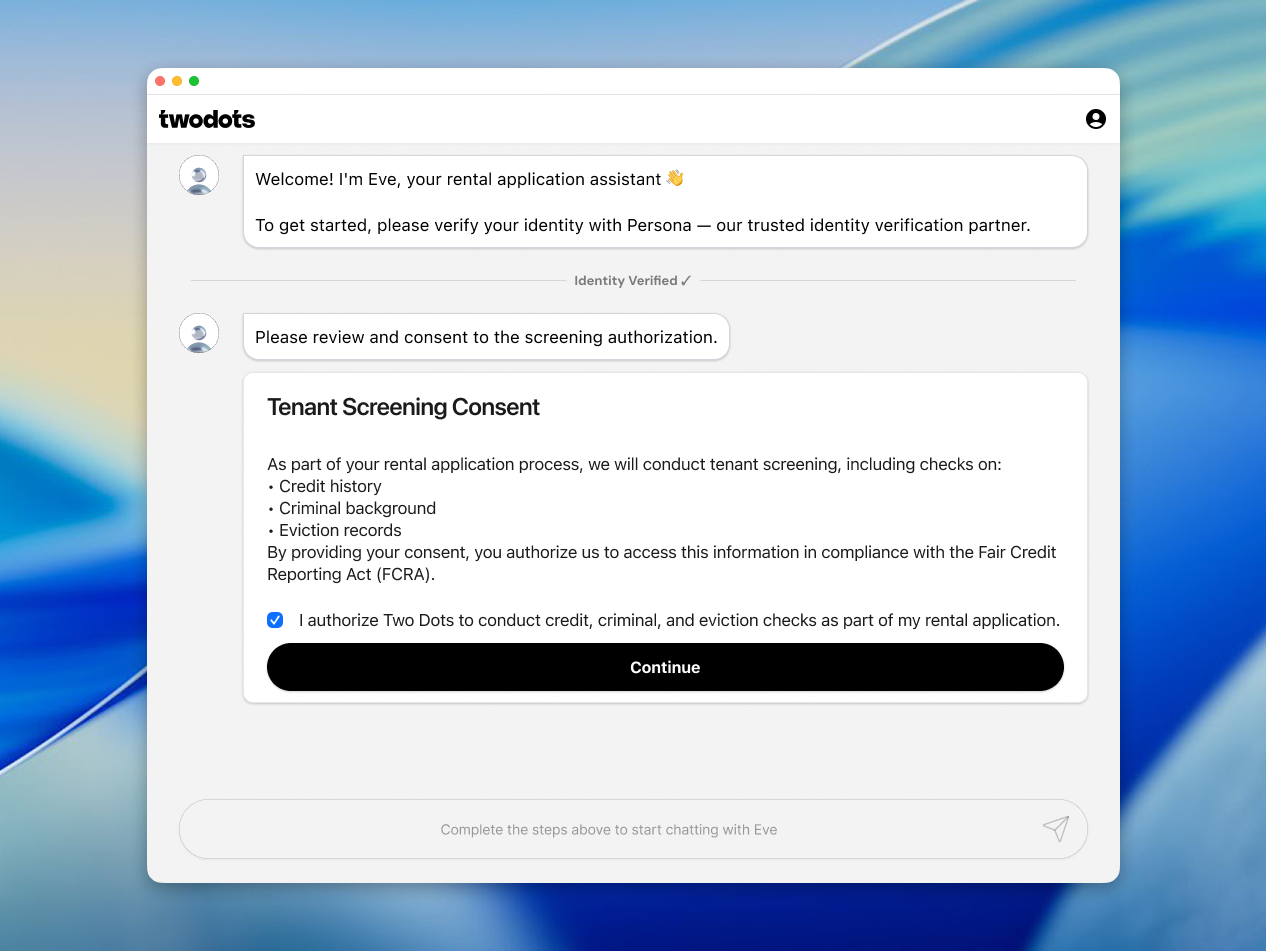
I defined three ways Eve could respond to the applicant’s situation. Each mode changed the balance between system control and user agency while preserving the same timeline and interaction history.
Mode 1: Rule-based workflow
The user remains in a bounded workflow, and no other input is allowed.
Mode 2: Agent-assisted
The agent provides suggestions and quick actions, while the user remains in control
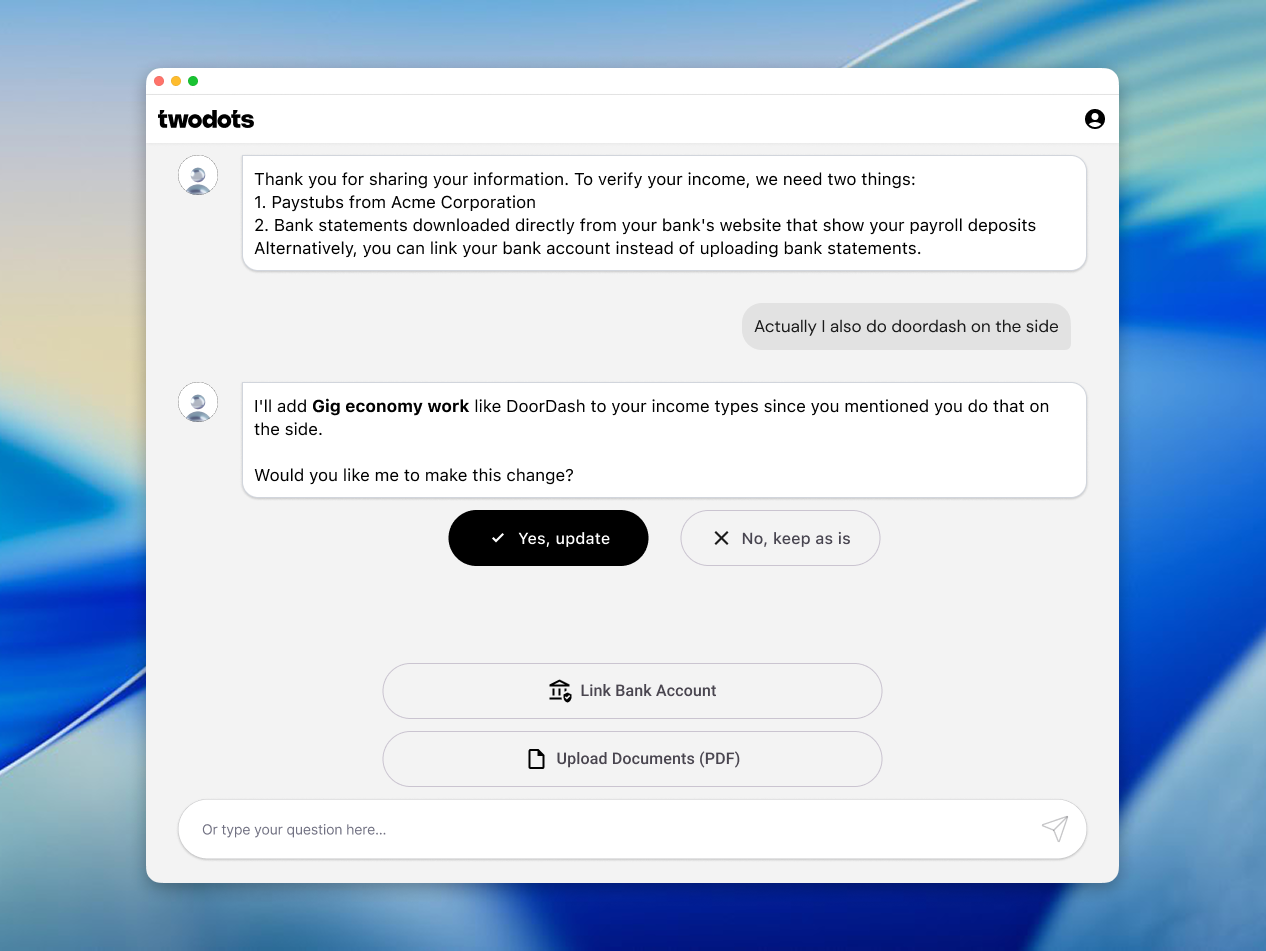
Mode 3: Inline hybrid switching
The agent inserts a bounded action during the conversation and blocks other inputs
Designing the behavior beneath the timeline
I designed Eve across three connected layers:
System
Defined how the experience moves between rule-based and agent-driven behavior, including temporary requirements introduced during an open exchange.
Interaction
Designed one continuous timeline that could support required completion, adaptive guidance, and contextual transitions without breaking the applicant’s flow.
Components
Created reusable patterns that communicate status, agency, validation, and available actions across changing workflow states.

Working across design and engineering allowed me to treat system behavior as part of the design material—not simply as a constraint handed to the interface.
Result
Compared with the original verification experience, the timeline-based workflow helped applicants move through the process more efficiently:
- 17% faster median time to complete workflow actions
- 24% faster average time to reach a terminal application status
Want to learn more on how I built Eve? Read my essay Designing Workflow Surfaces for Agentic Systems
Read on Medium
Case Study: Business User Portal
Overview
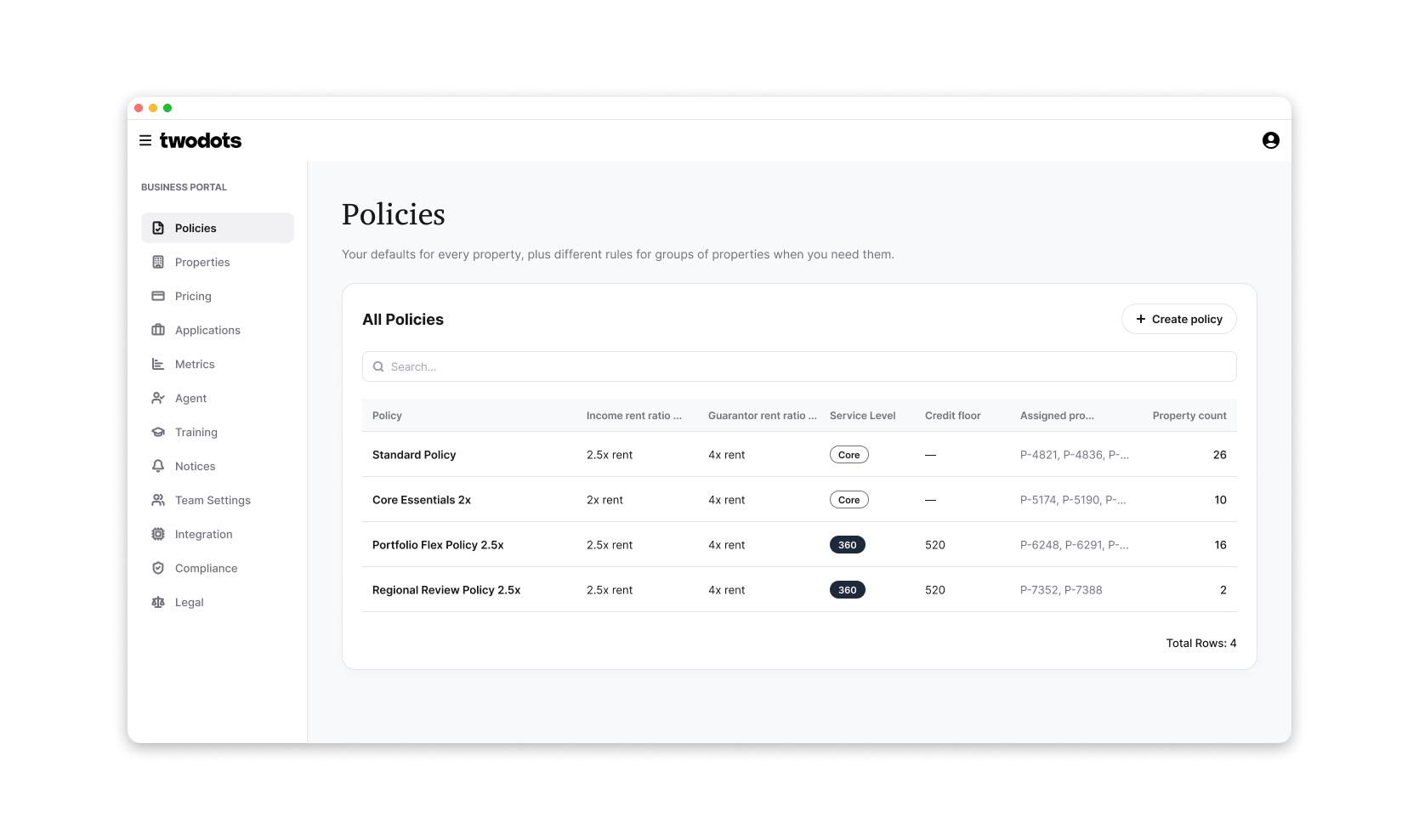
Two Dots serves property managers with different screening policies across thousands of properties. For years, those settings lived in a configuration file. Customers could not see or change their own policies, and every update required an operation ticket and a deployment.
The challenge: Change the source of truth without changing the outcome
The visible project was a settings portal. The deeper challenge was moving live customer configuration from code into a database without changing a single screening result during the migration.

The old and new systems had to coexist. A missing or incorrectly resolved value would not necessarily cause an error—it could silently return an outdated but plausible screening policy.
The solution: Make configuration visible, attributable, and safe to change
I built the portal and the system beneath it around one shared configuration model:

- A centralized resolver determined which source supplied every setting.
- Provenance showed whether a value came from a company policy, property override, database record, or legacy fallback.
- Field-level access rules defined what customers could edit, view, or never access—and enforced those rules on the server.
- A one-way promotion process moved each customer into the new system without overwriting subsequent human decisions.

The interface was therefore not a separate layer over the configuration system. What customers could see and change came directly from the same schema and precedence rules used by the screening runtime.
Business User Portal
Case Study: Design System
One foundation, three product identities
Two Dots has three distinct product surfaces: internal operations tools, a property-manager portal, and an applicant-facing verification experience. I created one shared foundation that gives each surface its own identity without maintaining three separate component libraries.

Framework-independent tokens define color, type, spacing, radius, elevation, and motion. A theme factory compiles them into three MUI themes, so every surface inherits the appropriate visual language and component defaults automatically. We build on MUI rather than replacing it, creating custom components only after a pattern has repeated and stabilized.
A written contract for people and coding agents
Because much of our frontend code is written with coding agents, the design system also includes an explicit contract covering page patterns, layout architecture, usage rules, and known edge cases. It records not only what to do, but why—from browser behavior and scroll ownership to when a custom surface is justified.

The result is a design system that acts as both a visual foundation and institutional memory. New human- and agent-written interfaces follow the same contract, while older surfaces migrate incrementally as they are touched.